




































Integrate your
boards into Confluence
Integrate your
boards into Confluence
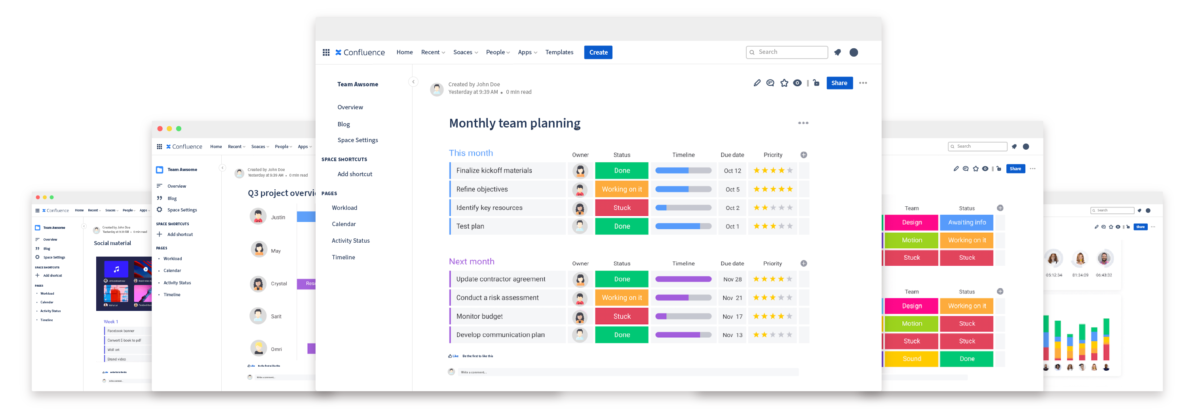
Embed monday.com for Confluence will improve the way your company shares and receives feedback.
NEW FEATURES
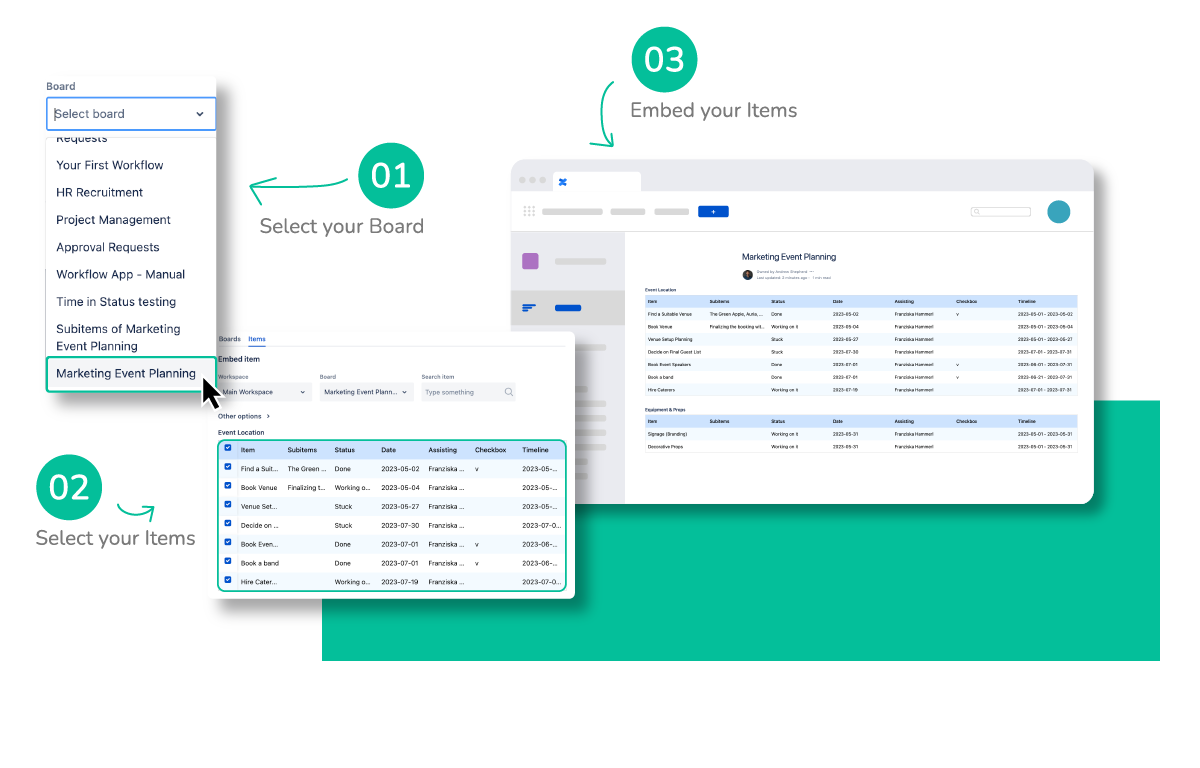
Refine your selection, and embed items only
With the correct permissions, you can now embed specific monday.com items into Confluence, without having an embed link, or navigating to monday.com
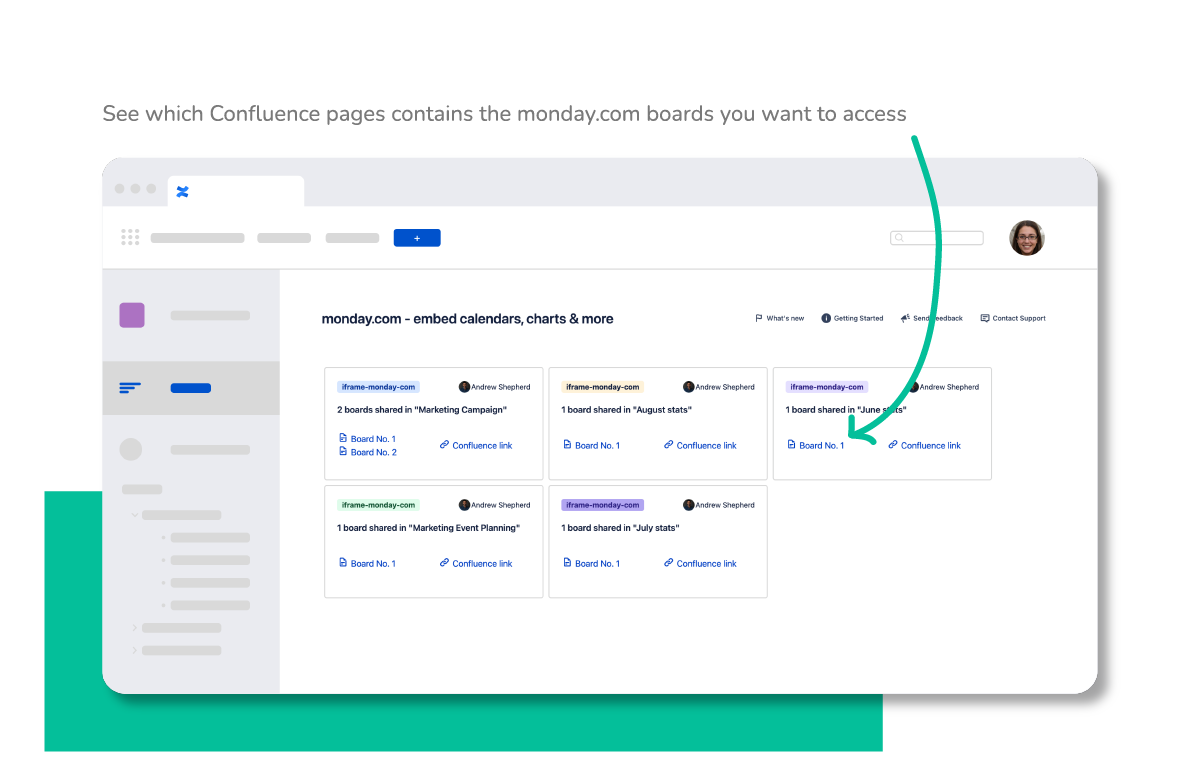
Holistic monday.com board overview
The interactive monday.com gallery in Confluence allows easy access and a holistic overview of your embedded monday.com boards, enabling users to access their boards quicker.
BENEFITS
INTEGRATE YOUR MONDAY.COM BOARDS IN CONFLUENCE
Publishing monday.com on Confluence will change the way your company shares and gets feedback.
Embed multiple board views
Each organization is different, embed multiple monday.com views
in Confluence
RESOLUTION IS TRUSTED BY OVER 8,000 CUSTOMERS WORLDWIDE


GETTING STARTED
Usable for every user in seconds
Enjoy your shared monday.com content in Confluence
Get started today
Frequently Asked Questions (FAQ)
No, any user with access to the Confluence page where the monday.com board is integrated will be able to view it without needing a monday.com account.
Yes, you can embed boards with a free account, however, specific capabilities may vary depending on your monday.com subscription.
To embed a monday.com board on a Confluence page the sharable board link from monday.com must be copied and pasted into the monday.com for Confluence window (Open the monday.com for Confluence window by typing “/mon” within the Confluence page.
Yes, all of the embedded data is updated in real-time from the moment the data is published within the monday.com instance.
No, the current version of monday.com for Confluence does not support in-app notifications.
Yes, you can embed specific items or entire groups of items from your monday.com boards into Confluence. During the embedding process, you select which items or groups to embed and customize the view.
Absolutely, when embedding items you can filter specific columns or groups to display. Check the boxes next to the columns or groups you want to show or hide in your embedded view.
No, it’s only possible to view monday.com content from Confluence and interact with it through actions like collapsing or expanding groups of items. Editing capabilities are not provided through the integration.
Access control to embedded boards is managed through Confluence’s page permissions. Restrict access to specific pages to control who sees the embedded monday.com boards.
Update frequency can vary based on the development cycle and user feedback. Regular updates are essential for maintaining feature parity and system security.
More Integration Apps
monday.com
for Confluence
Visualize and share your boards in Confluence.
monday.com
for Jira
Visualize and share your boards in Jira.

HubSpot CRM
for Confluence
Integrate your boards into Confluence.

HubSpot CRM
for Jira
Issue Link Integration & Collaboration

Smartsheet
for Confluence
Scale your project
execution.

Miro
for Confluence
Freely navigate whiteboards together.

Power BI
for Confluence
Surveys, results and your team all under one tab.
PDF Embed
for Confluence
Embed your PDF documents in Confluence