Atlassian User Management for Jira, Confluence & more
Manage user access and optimize Atlassian licenses across your organization. Identify inactive users, reclaim seats that are no longer needed, and automate recurring administration. Support access reviews with a clear history of changes.
BENEFITS
Reclaim Unused Seats
Identify inactive users and remove access that is no longer needed. Potential savings depend on your subscription, user tier and renewal timing.
Save 80% Admin Time
Automate repetitive tasks with rules that run 24/7. Spend minutes instead of hours on user management.
Manage All Sites from One Place
Cloud: Manage users across your organization from one installation. Data Center: Manage users within your Atlassian instance.
Support Access Governance
Cloud: Built on Atlassian Forge.
Data Center: Runs in your infrastructure.
Review access and administrative results to support your security processes.
Manage Users in Bulk
Handle offboarding and group updates for multiple users together. Select the appropriate action, review the affected users and check the results.
Review Activity and Access
Smart synchronization ensures you’re always working with the latest user information across all products.
Ready to Optimize Your Atlassian User Management?
Make user access easier to manage and identify opportunities to reduce unnecessary license spend.
FEATURES
Check out the Features
CENTRALIZED CONTROL
A Unified View of Users and Access
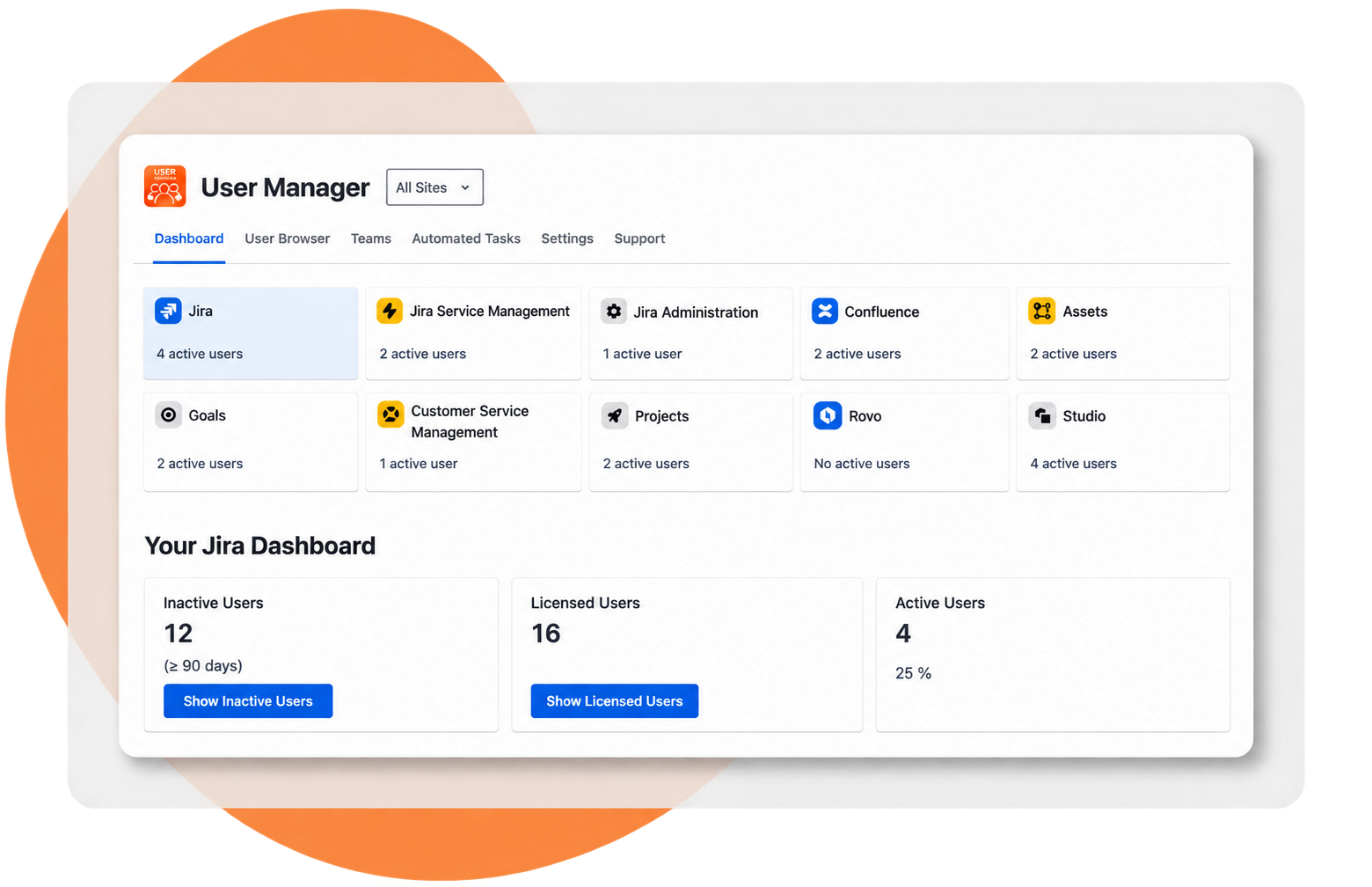
Cloud: Review users and product access across your Atlassian organization from one dashboard.
- View licensed, active and inactive users by product
- Review inactivity using your configured threshold
- Investigate users through the User Browser
- Switch between an individual site and the organization-wide view
Data Center: Review users, directory information and application access in the User Deactivator admin interface.
POWERFUL SEARCH
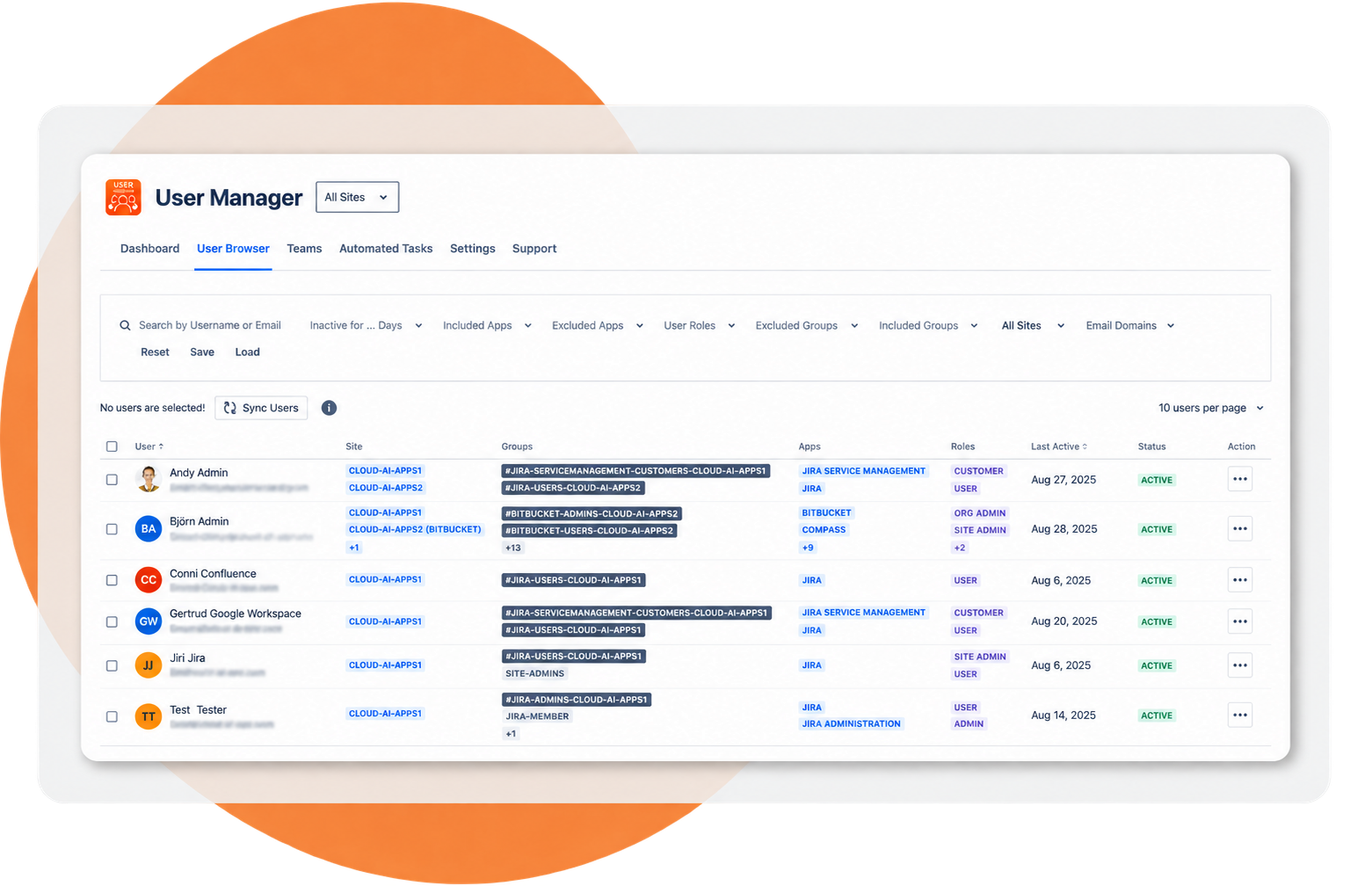
User Browser for Targeted Access Reviews
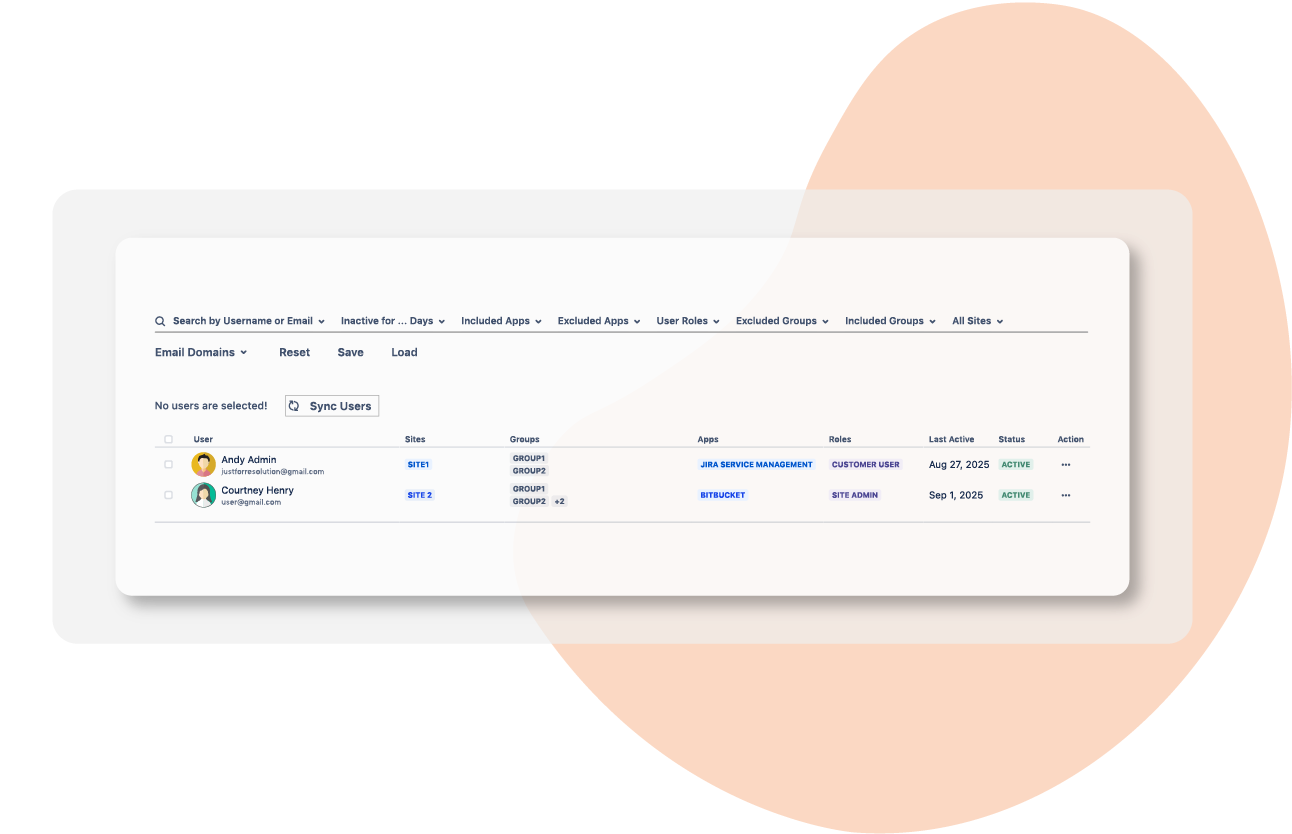
Cloud: Search across your organization using reusable filters.
- Filter by activity, product, role, group, site and email domain
- Review recorded activity before changing access
- Save filter combinations for recurring tasks
- Select individual users or work with a filtered group
Data Center: Filter users by activity, status, directory, group and application access.
Get the Most Out of
Your Atlassian Setup
Download our free User Guide to explore user administration, access reviews and license planning for Jira and Confluence. Use the examples to plan your own user-management workflows.
INTELLIGENT AUTOMATION
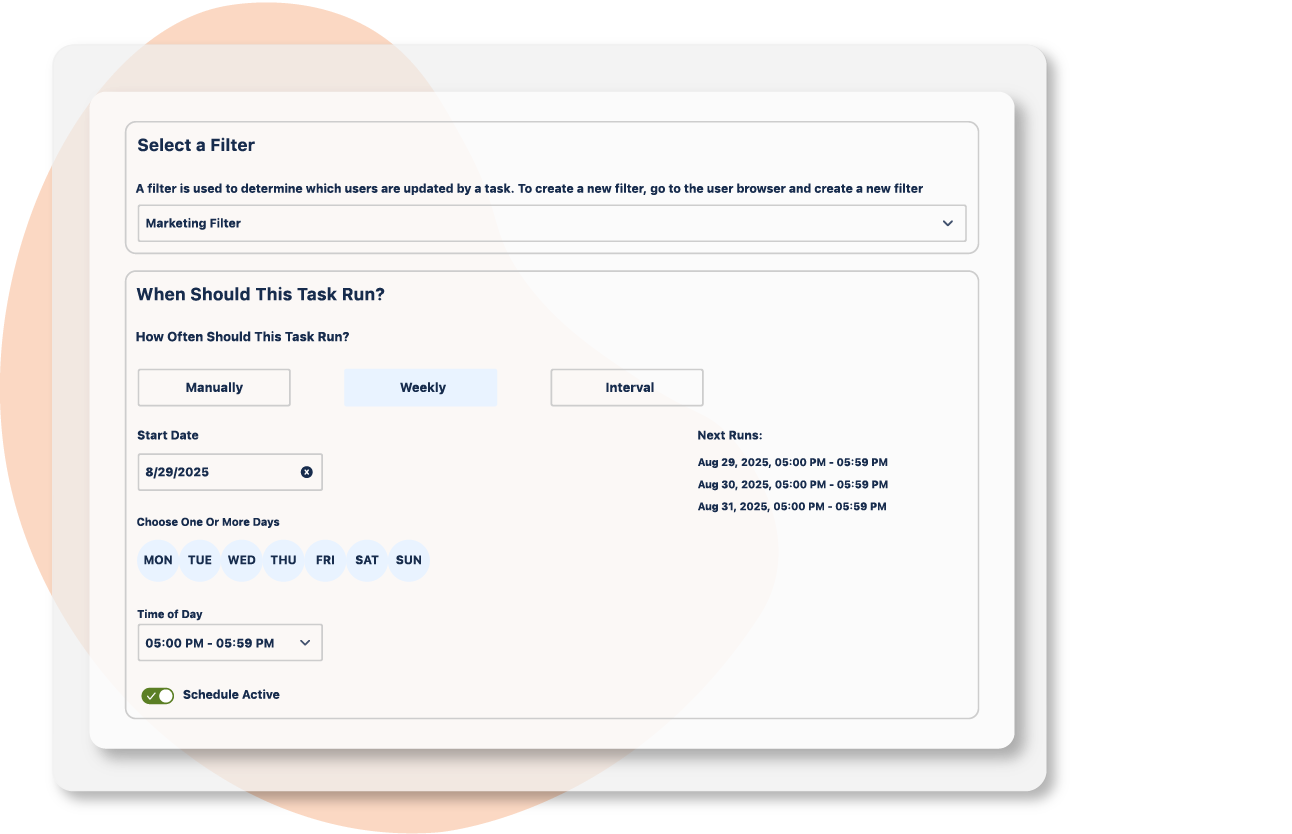
Automate Recurring User Management
Set it and forget it. Create rules that continuously optimize your user base without manual intervention.
- Select users dynamically using saved filters
- Choose a weekly schedule or interval
- Combine available access and group actions
- Review task execution results
- Configure task notifications through webhooks
Data Center: Schedule inactivity-based deactivation or group removal, with optional warning emails.
BULK ADMINISTRATION
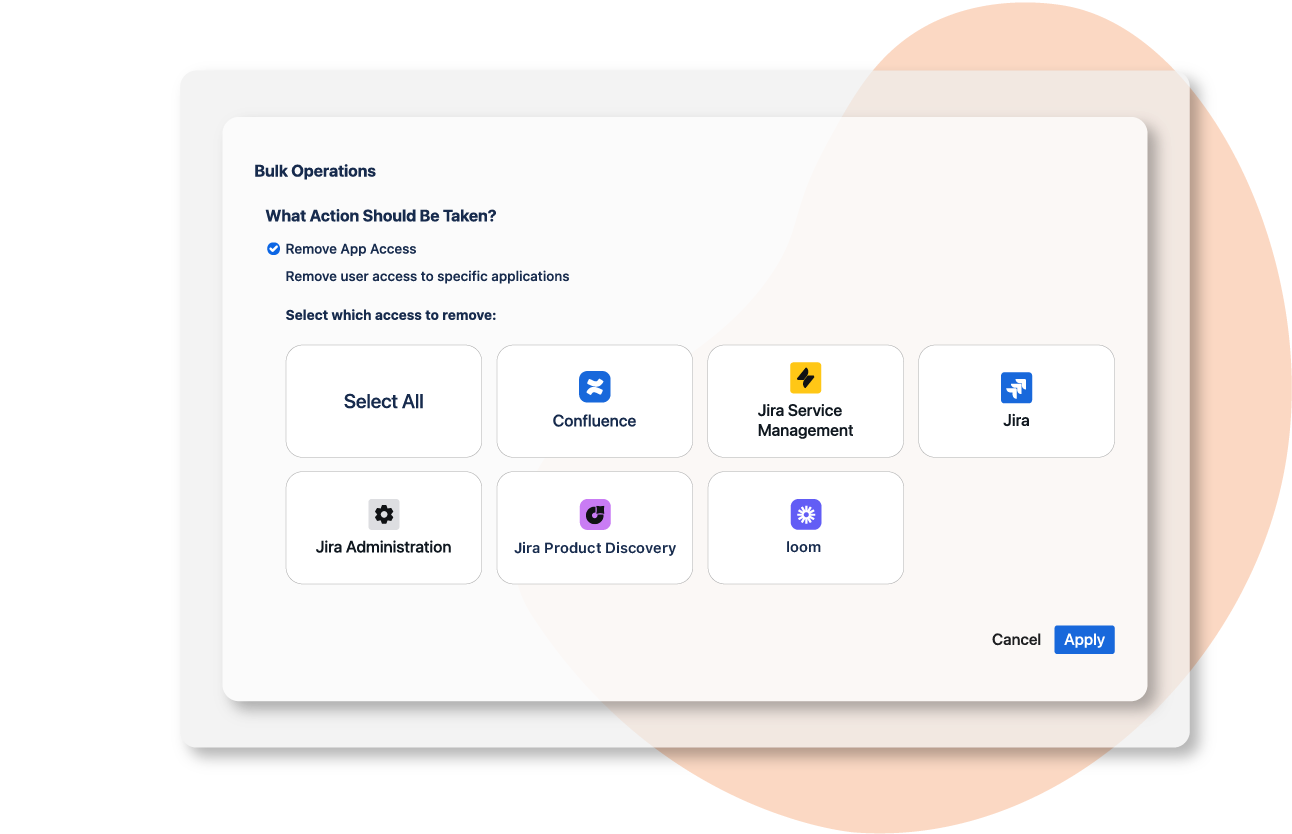
Bulk User Management and Offboarding
Cloud: Apply selected access changes to multiple users in a single workflow.
- Remove product access that is no longer required
- Suspend users or restore access
- Add or remove group memberships
- Combine available actions in a defined order
- Keep Organization Admins protected from bulk changes
Data Center: Use bulk deactivation, reactivation and group operations in your instance.
COST OPTIMIZATION
License Optimization for Unused Seats
Use activity data to review access that is no longer required and plan your license needs. Savings depend on your subscription, user tier and subsequent access assignments.
- Identify inactive accounts for an access review
- Apply configured rules to remove unneeded access
- Estimate potential savings with the ROI calculator
Data Center: Auto-reactivation with SAML SSO (Data Center)
Additional Features
Cloud Admin Access
Organization Admins can grant Product Admins and User Access Admins access to User Manager. Once enabled, those admins can use its organization-wide capabilities.
Synchronized Cloud User Data
Choose scheduled sync or Continuous Sync with Atlassian Guard. Bulk operations and tasks use the data currently stored in the app. Check the latest sync before important changes.
Operation Results and Exports
Cloud: Review operation results, export users and configure task notifications.
Data Center: Review operation summaries and configure email reports.
Organization-Wide Cloud Management
Manage users across sites from one Cloud installation. Filter by site and product to investigate access within your organization.
Directory and Identity Provider Settings
Cloud: Manage SCIM-controlled group membership in your identity provider.
Data Center: Follow your directory permissions and documented SSO configuration.
Administration at Your Scale
Use filters, bulk actions and scheduled tasks for larger user directories. Processing time depends on user volume, the action and platform limits.
PRODUCT GUIDE BENEFITS
PRACTICAL RESOURCES FOR USER MANAGEMENT
Ready to Optimize Your Atlassian User Management?
Join thousands of organizations already saving time and money