Jira pricing plans look simple on the surface: four tiers, two published per-user rates, and a “contact sales” button at the top end. The complication is that the tier you pick is only half of what you pay. The other half is how many seats you are carrying, and that number tends to drift upward quietly. This guide breaks down what each tier costs in 2026, what you actually get for the money, and how tools like User Management and License Optimizer stop you paying for seats nobody uses.
All figures below are Atlassian list prices for Jira Cloud, taken from the official Jira pricing page in July 2026, in USD on monthly billing. Annual billing is also available, and the Enterprise tier is sold on annual billing only.
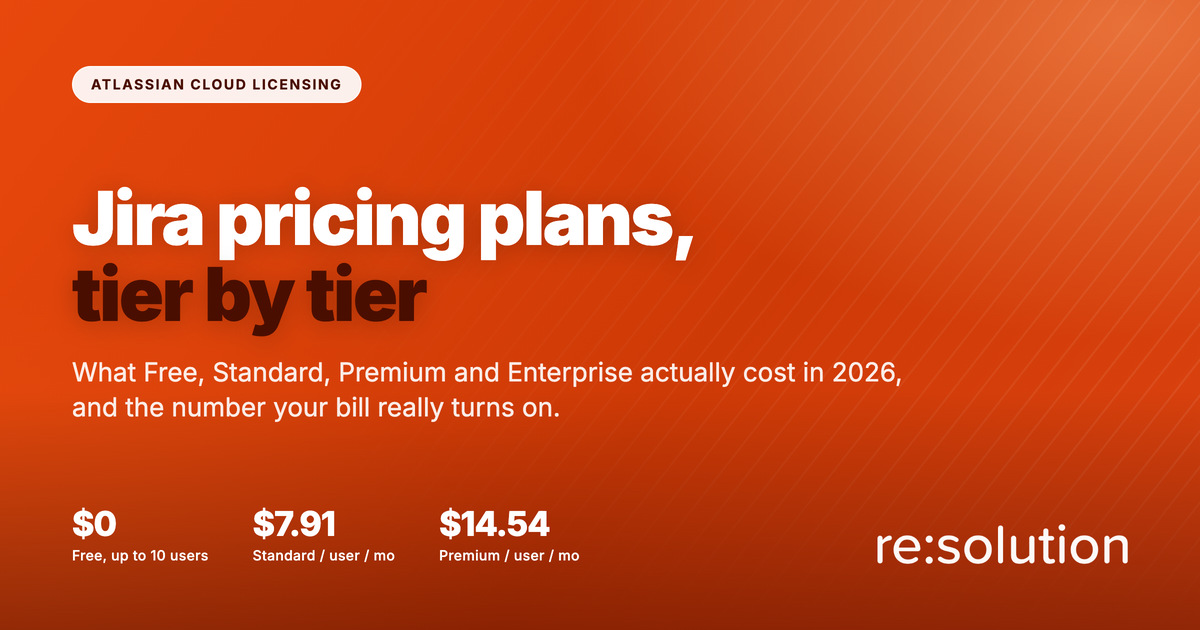
Quick answer: Jira Cloud has four pricing plans. Free costs nothing for up to 10 users. Standard is $7.91 per user per month. Premium is $14.54 per user per month. Enterprise is custom priced and billed annually. Every paid plan charges for each licensed user, whether or not that person logs in.
- Jira pricing plans at a glance
- What each of the four Jira pricing plans includes
- The number Jira pricing plans do not show you
- How to cut the bill without downgrading a tier
- Jira pricing plans FAQ
Jira pricing plans at a glance
| Free | Standard | Premium | Enterprise | |
|---|---|---|---|---|
| Price | $0 | $7.91 / user / mo | $14.54 / user / mo | Custom, annual only |
| User limit per site | 10 | 100,000 | 100,000 | 100,000 |
| Sites | 1 | 1 | 1 | Up to 150 |
| File storage | 2 GB | 250 GB | Unlimited | Unlimited |
| Automation | 100 runs / mo | 1,700 runs / mo | 1,000 runs per user / mo | Unlimited |
| Support | Community | 9/5, 2 hr critical | 24/7, 1 hr critical | 24/7 all issues, 30 min critical |
| Email notifications | 100 / day | Unlimited | Unlimited | Unlimited |
What each of the four Jira pricing plans includes
Free: $0 for up to 10 users
The Free plan is a genuine product rather than a crippled trial. You get unlimited projects, the full set of views (backlog, list, board, timeline, calendar and summary), reports, dashboards, and the mobile apps. The ceilings are what force the upgrade: 10 users, one site, 2 GB of file storage, 100 email notifications a day, and 100 automation rule runs a month. Support is the Atlassian Community, not a support team.
Free suits a single small team validating whether Jira fits. It does not suit anything with compliance obligations, because project and issue level permissions only arrive on the paid tiers.
Standard: $7.91 per user per month
Standard is where most organizations land. It adds user roles and permissions, lifts storage to 250 GB, raises the site ceiling to 100,000 users, and gives you 1,700 automation rule runs a month. Support becomes 9/5 regional coverage with a two hour response target on critical issues.
The constraint to watch is that Standard still covers one site. If your organization is heading toward separate instances per brand or region, that shapes the decision more than the per-user rate does.
Premium: $14.54 per user per month
Premium is roughly 1.8 times the Standard rate, so the jump needs justifying. What you get: unlimited file storage, 24/7 support with a one hour response on critical issues, cross-project dependency management rather than single-project, customizable onboarding by team type, and a far larger automation budget at 1,000 rule runs per user per month. On 200 users that is 200,000 runs a month against Standard’s flat 1,700.
Automation volume and cross-project planning are the two honest reasons to move to Premium. If you are not hitting the Standard automation ceiling and you plan within single projects, you are paying an extra $6.63 per user per month for support response times.
Enterprise: custom pricing, billed annually
Enterprise is quoted rather than listed, and it is the only tier sold on annual billing exclusively. It adds up to 150 sites, advanced admin and security controls, unlimited automation, Atlassian Analytics and Data Lake access, and 24/7 support on all issues with a 30 minute critical response and a dedicated phone number. It also bundles Atlassian Guard Standard, which matters for identity: multiple identity providers, SCIM provisioning and enforced SSO.
The multi-site allowance is usually the deciding factor. Organizations that need instance separation for autonomy, data residency or regulatory reasons cannot get there on Premium.
The number Jira pricing plans do not show you
Every published rate is per user, per month. Atlassian bills on licensed seats, not on logins. A person who left the company eight months ago and still holds product access costs exactly as much as your most active engineer. This is the variable that Jira pricing plans never surface, and it is the one you control.
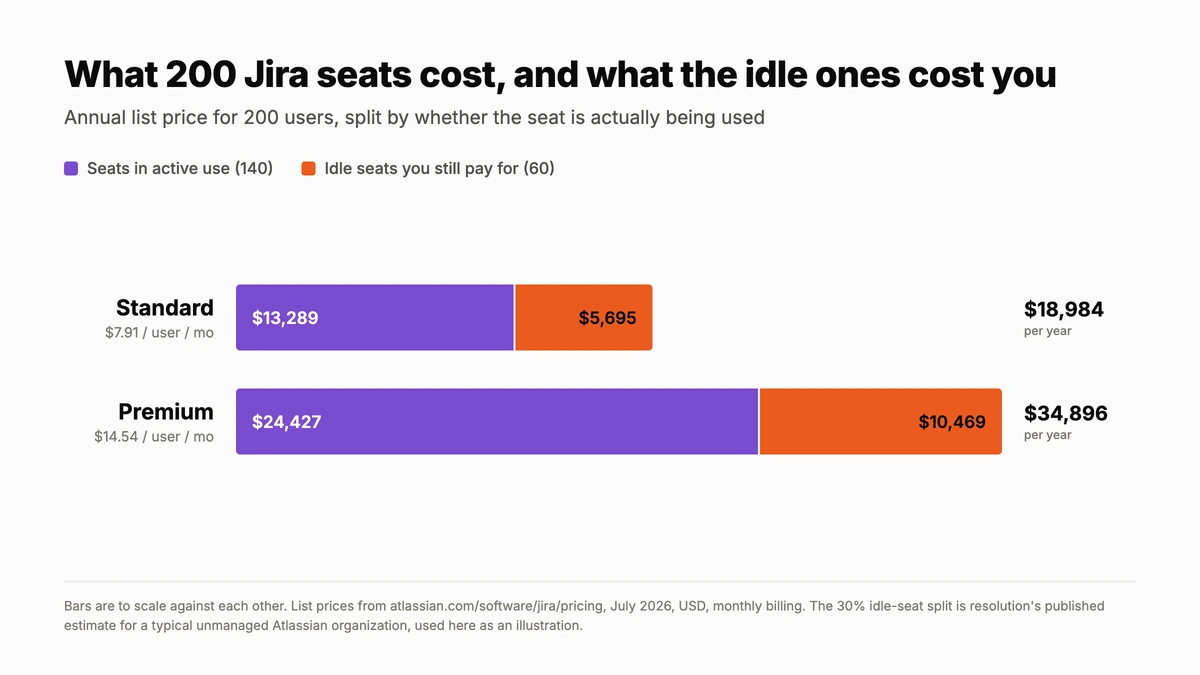
Work the arithmetic on 200 users. On Standard that is $18,984 a year. On Premium it is $34,896. If 30% of those seats are dormant, which is resolution’s published estimate for a typical unmanaged Atlassian organization, you are spending $5,695 a year on Standard or $10,469 on Premium for accounts that produce nothing. That waste is invisible in the admin console because nothing there flags a licensed account as idle.
The drift is structural rather than careless. Contractors finish engagements. Teams reorganize. People change roles and keep every group membership they ever had. Offboarding checklists cover email and VPN, then miss Jira because product access is granted through group membership rather than a single toggle.
See what your idle seats actually cost
User Management and License Optimizer shows active and inactive users across every site in your Atlassian organization, then reclaims the seats on a schedule.
How to cut the bill without downgrading a tier
Downgrading a tier is the blunt instrument, and it usually costs you features the team relies on. Reducing billable seats is the precise one, and it is reversible. A workable sequence:
- Measure before you negotiate. Establish how many licensed users have not logged in for 30, 60 and 90 days, per product. Renewal conversations go differently when you know the number.
- Separate “remove app access” from “suspend”. Removing product access frees the seat while leaving the account intact, so history and mentions survive. Suspending disables the account everywhere. Most cleanups only need the first.
- Automate the recurring pass. A saved filter for “no activity in 90 days, excluding service accounts” run on a schedule keeps the number flat instead of letting it climb between audits.
- Protect the exceptions. Service accounts, seasonal staff and executives who log in quarterly need exclusion groups, or automation will generate angry tickets.
- Right-size before renewal, not after. Seat reductions want to land before the annual commitment, not one month into it.
This is the work User Manager automates. Filters run across every site in the organization, scheduled tasks apply the actions, and every run is logged for audit. Organization Administrators are excluded from automated actions by default, and that protection cannot be overridden, which is the safeguard that makes scheduled cleanup viable rather than terrifying. Worth knowing before you start: bulk operations cannot be automatically undone, so test on a small group first.
For the mechanics of a first cleanup, see our walkthrough on freeing Jira and Confluence licenses by deactivating inactive users, and the wider view in cutting Atlassian costs by optimizing licenses per product.
Jira pricing plans FAQ
How much do Jira pricing plans cost per user?
Jira Cloud Standard is $7.91 per user per month and Premium is $14.54 per user per month at list price. Free costs nothing for up to 10 users, and Enterprise is custom quoted and billed annually.
What is the difference between Jira Standard and Premium?
Premium adds unlimited file storage, 24/7 support with a one hour critical response, cross-project dependency management and 1,000 automation rule runs per user per month, against Standard’s flat 1,700 runs and 9/5 support.
Is the Jira Free plan enough for a small team?
For up to 10 users doing straightforward project work, yes. You lose project and issue level permissions, get 2 GB of storage, 100 email notifications a day and Community-only support, so it rarely survives a compliance requirement.
Do you pay for inactive users in Jira?
Yes. Atlassian bills per licensed user, not per active user, so a dormant account costs the same as an active one until you remove its product access or suspend it.
How can I reduce my Jira bill without downgrading a plan?
Reclaim seats from inactive users. Identify accounts with no recent activity, remove product access rather than deleting the account, and run the check on a schedule so the seat count stays flat between renewals.
Related reading
- Atlassian Cloud billing: stop paying for access you do not need
- The ultimate guide to deactivating inactive users
- Manage all Atlassian sites from one screen
Ready to stop paying for seats nobody uses? Start a free trial of User Management and License Optimizer on the Atlassian Marketplace.